
What is Discord?
Discord is a free app that communities use to talk, share, and learn together. The Codetopia Community has its own space on Discord, called a server, and that is where the community lives every day.
This guide will take you from zero to fully inside our server, step by step. Take your time. There is no rush.
Step 1: Download Discord and create your account
We recommend installing Discord on both your phone and your computer, so you are never cut off from the community.
Discord has an official guide that walks you through this. Before you open it, here is what to expect:
- You will download the Discord app (from your phone's app store, or from discord.com on a computer)
- You will create an account with a username, your email address, and a password
- Discord will send a verification email. Open your inbox and click the link inside it
- You do not need to change any other settings. Ignore everything else for now
IMPORTANT
Your Discord account is separate from your Codetopia Community portal account. You now have two accounts. Keep both email addresses and passwords somewhere safe. You will connect the two accounts later in this guide.
You only need to create your Discord account once. If you install Discord on a second device, just log in with the same email and password. Everything follows you.
TIP
Once your account is created and verified, come back here and continue with Step 2.
Step 2: Turn on notifications
Turn on notifications on both your phone and your computer so you never miss announcements, replies, or mentions from the community.
Discord's official guides show you where the setting is. You are looking for one thing only: the setting that turns notifications on. Ignore every other option for now.
🔗 Mobile notifications guide 🔗 Desktop notification guideTIP
Once notifications are on, come back here and continue with Step 3.
Step 3: How Discord works
Before you join our server, let's look at what you will see, so nothing feels unfamiliar when you land. Discord looks different on a computer and on a phone, so we will show you both.
On a computer
On a computer, you see everything at once, in three areas side by side:
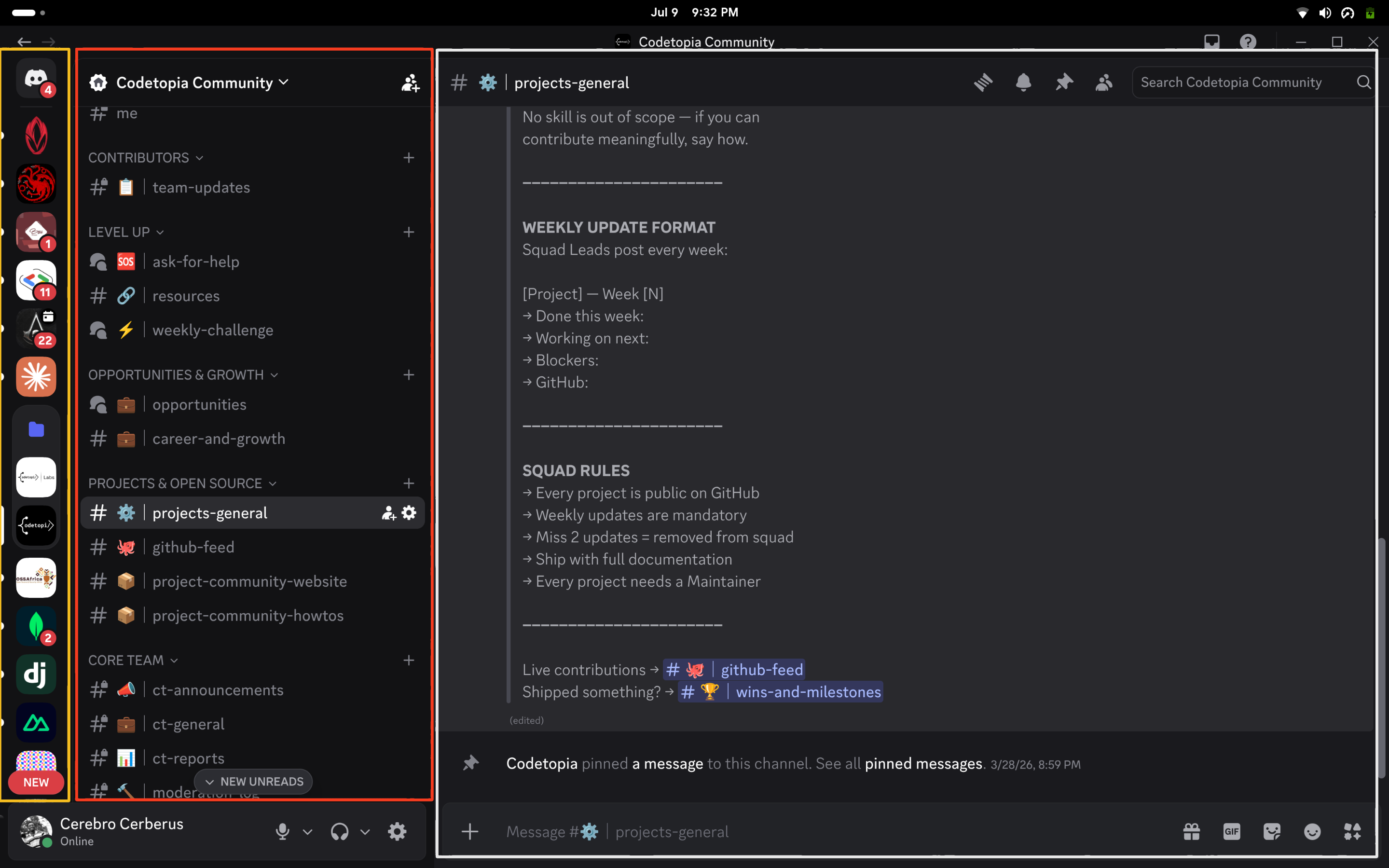
- The server list, the strip of round icons on the far left. Each icon is a server, which is a community's own space. Click an icon to enter that server.
- The channels panel, right next to the server list. A channel is a room for one topic. Channels are grouped into categories, like folders. Click a channel to open it.
- The message area, the big space on the right. This is where the conversation happens. Type your message in the text box at the very bottom and press enter to send.
On your phone
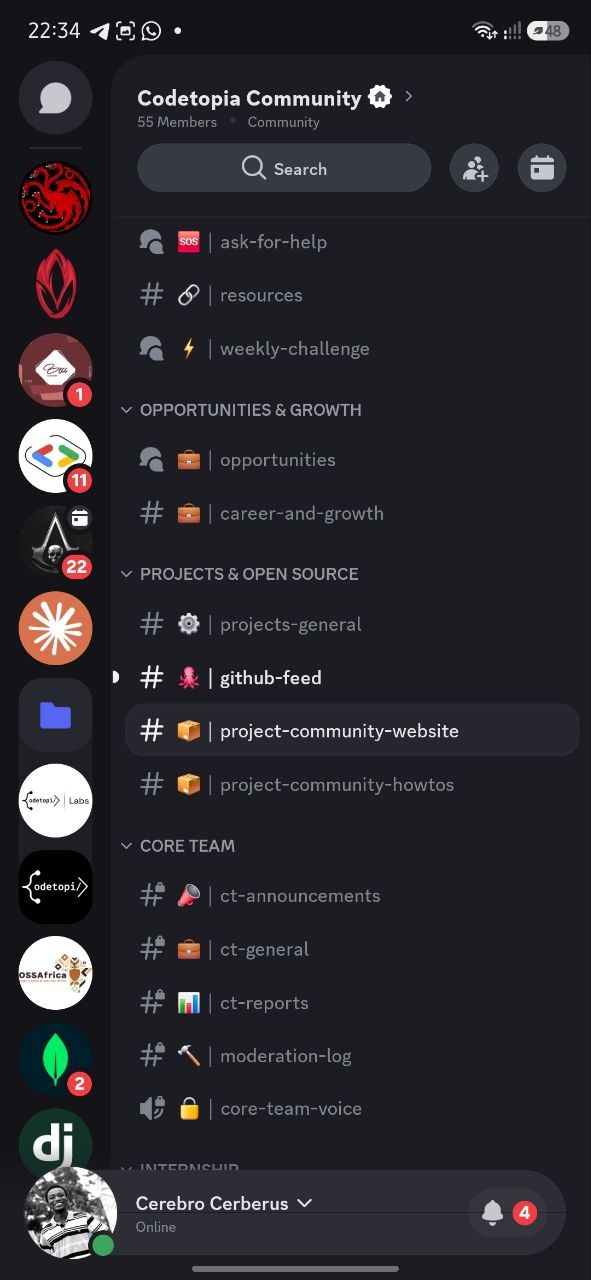
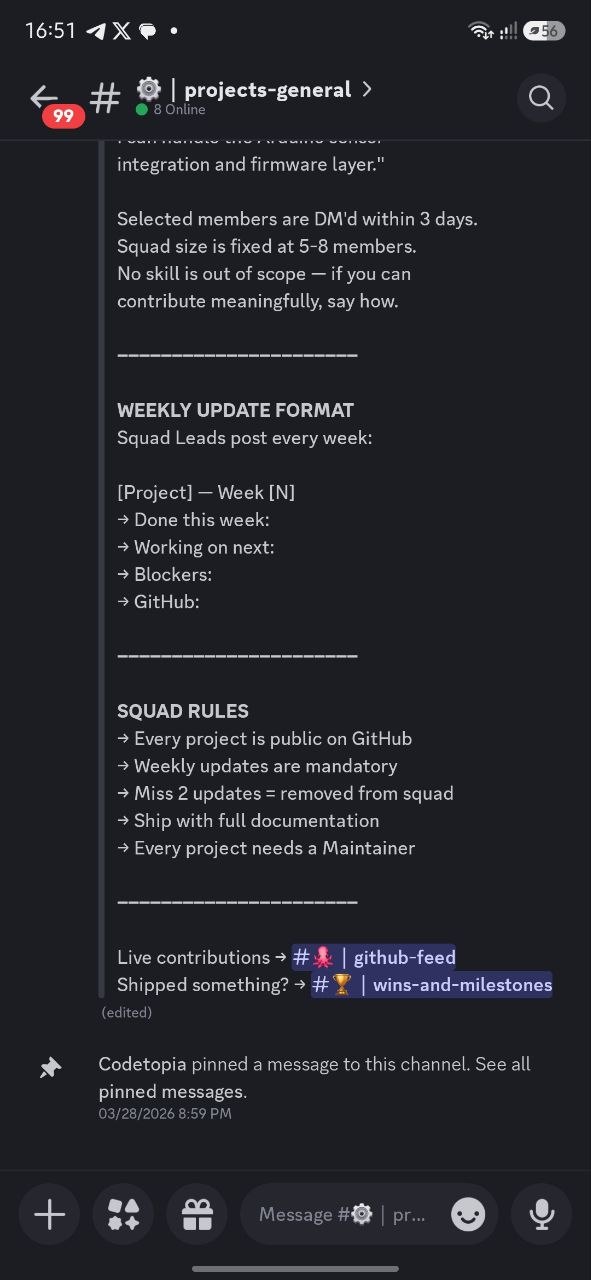
On your phone, you see one panel at a time instead of everything at once.
Discord mobile view showing the channel list with the server list strip on the left
Discord mobile view showing an open channel with the message area and text box
- The server list is the strip of round icons along the left edge
- Tap a channel name to open it. The conversation fills your whole screen
- To go back to the channel list, swipe right. Remember this one, it is the number one thing new members get stuck on
That is all you need to know. Now let's get you in.
Step 4: Join the Codetopia Community server
Click this link:
🔗 Join the Codetopia Community server Discord will show you a screen asking you to accept the invitation. Accept it.
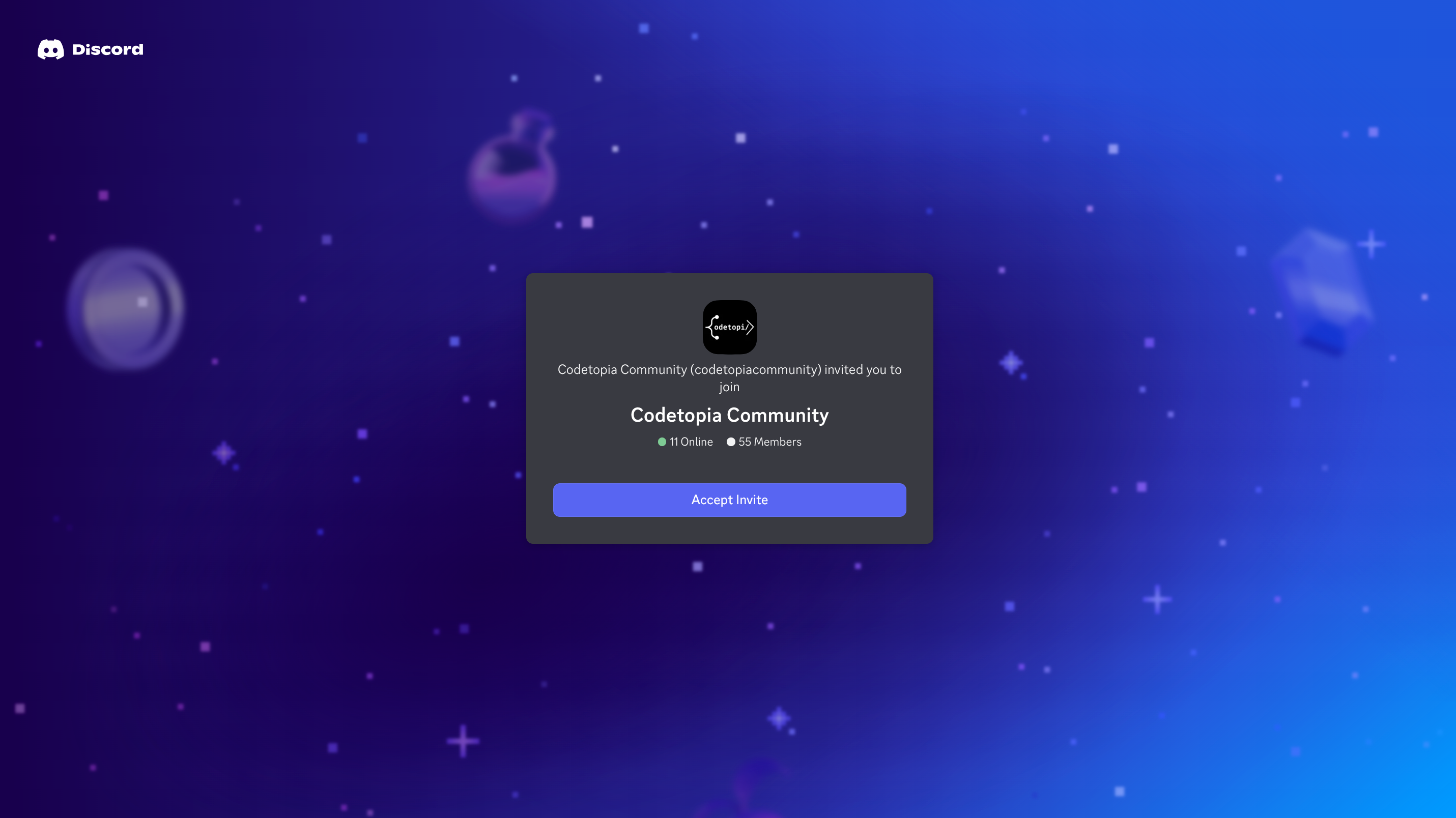
After accepting, find the Codetopia Community icon in the server list. On a computer it is on the far left of your screen. On your phone it is in the strip along the left edge of the channel list. Click or tap it to enter the server.
TIP
You will know you are in when you see the Codetopia Community channels appear in the channels panel.
Complete a few steps
NOTE
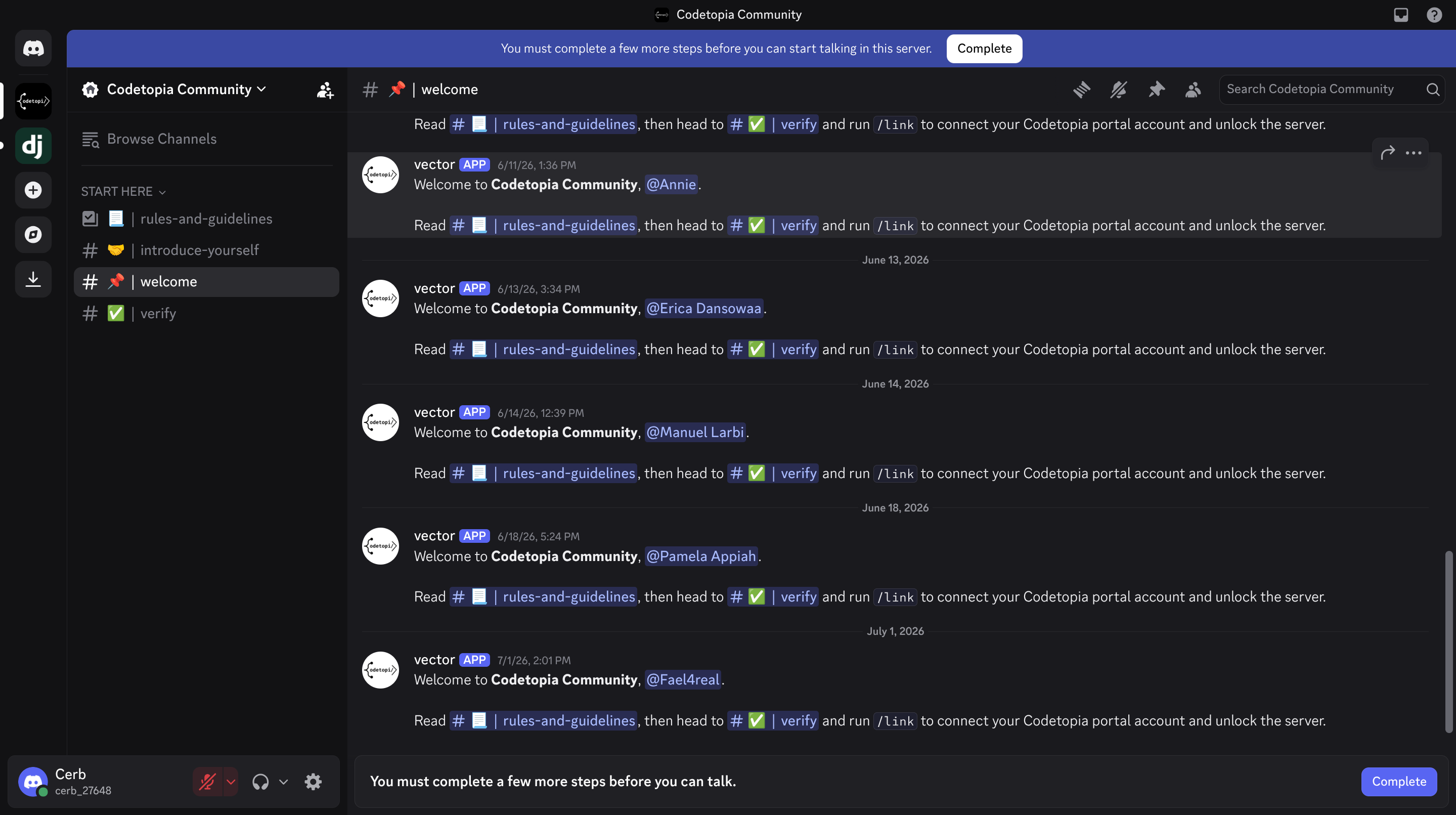
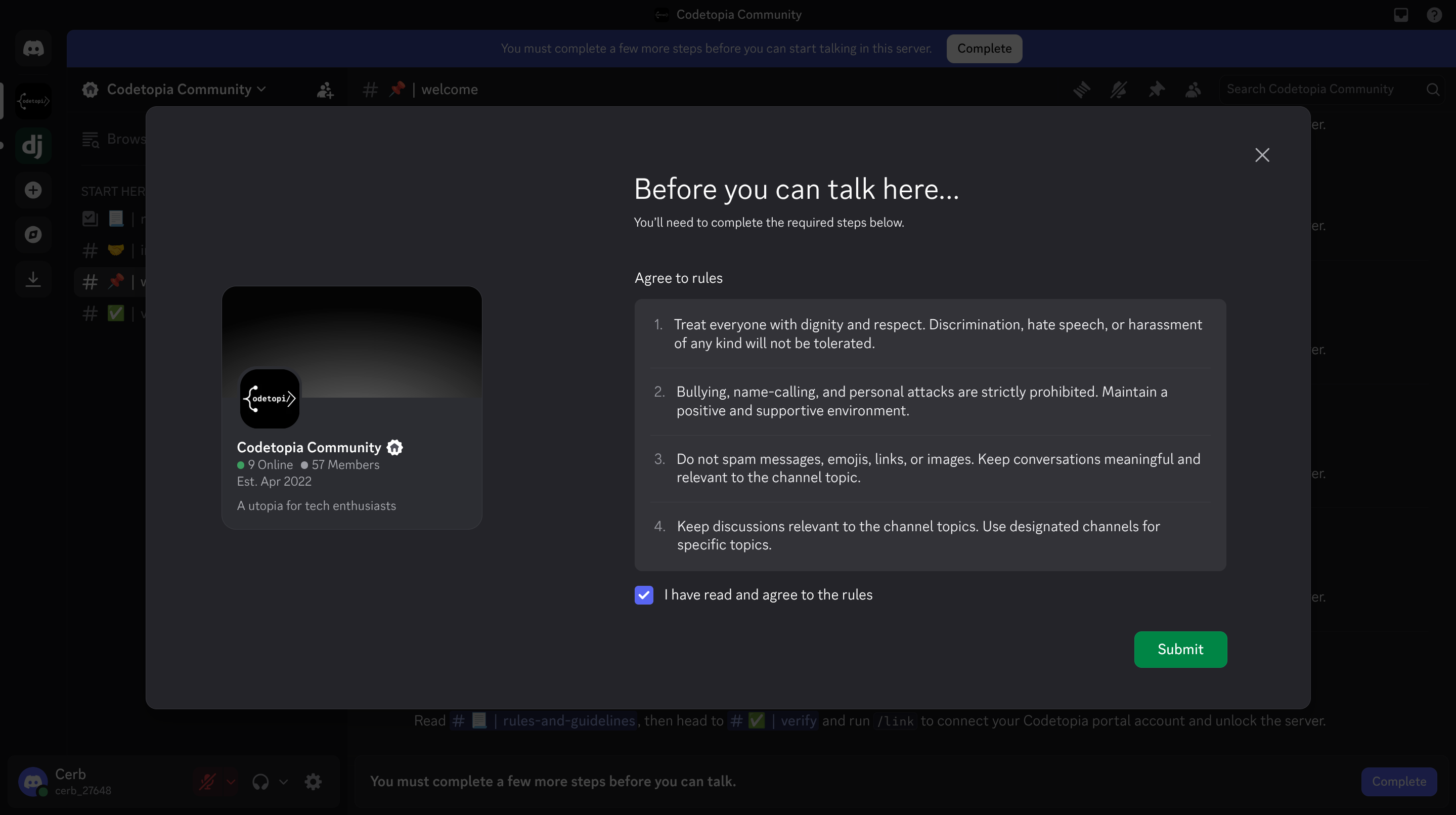
You might see a notification that says You must complete a few more steps before you can talk. Click Complete, read the rules, check I have read and agree to the rules, then click Submit.
Step 5: Verify your account
Right now you can only see a few channels. The rest of the server is locked until you verify. This is normal, and it takes two minutes.
When you enter the server, you will land in the #welcome channel, where you will see a message like this:
Welcome to Codetopia Community, @yourusername. Read #rules-and-guidelines, then head to #verify and run
/linkto connect your Codetopia portal account and unlock the server.
Follow these steps exactly:
-
Read the rules. Open the #rules-and-guidelines channel and read through it. Every member is expected to know and follow the rules.
-
Open the #verify channel. Find #verify in the channels panel and open it.
-
Type the link command. Tap or click the message box at the bottom of the screen and type
/linkwith no spaces. As soon as you type the/, a small menu will pop up above the message box showing the command. Select the link command in that menu, or press enter.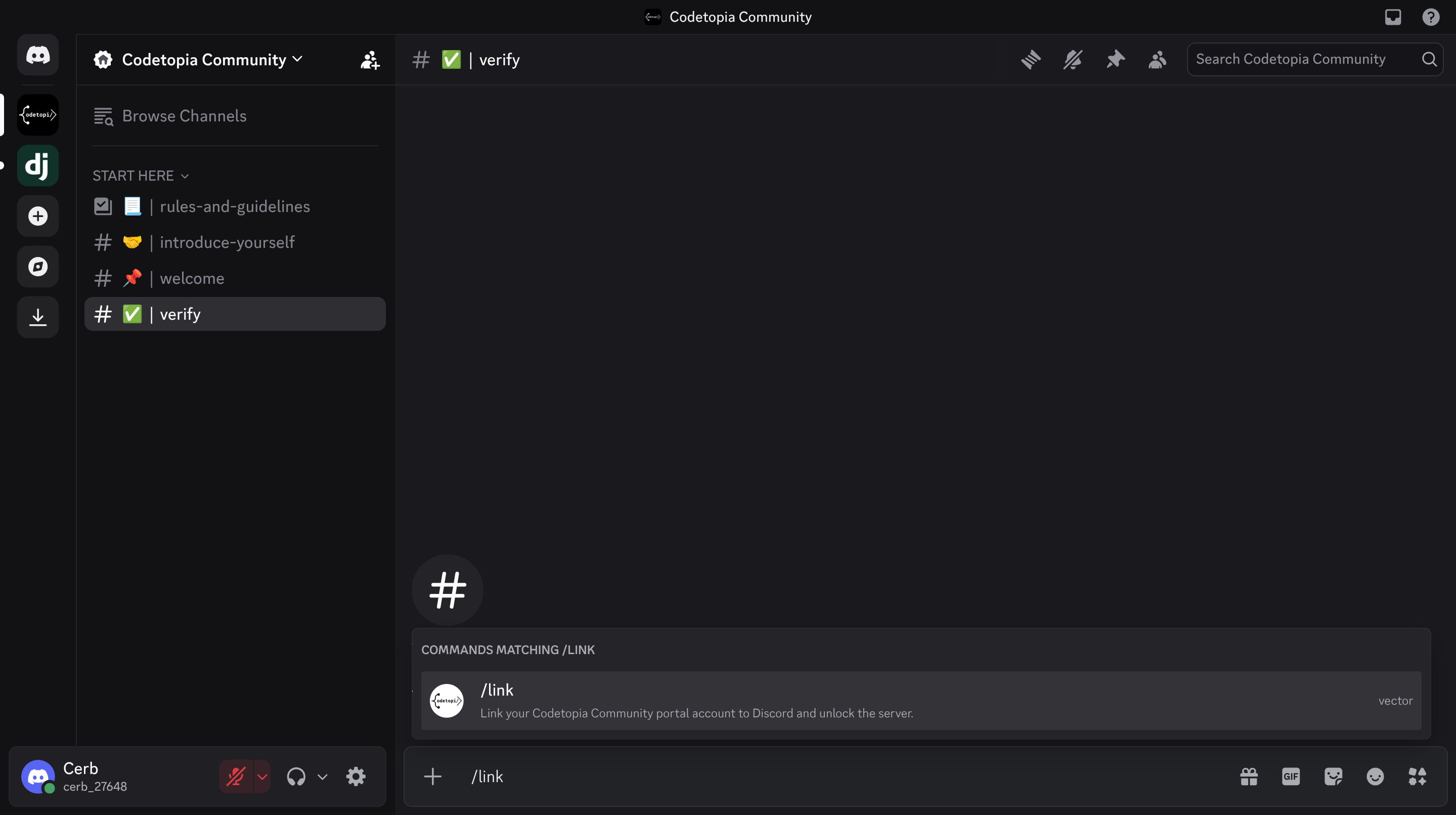
-
Connect your portal account. Follow what appears on screen. When you are asked to log in, use your portal email and password, not your Discord ones. This is the step that connects your two accounts.
-
You are in. Once your account is linked, all the channels unlock. Welcome to the Codetopia Community. 🎉
TIP
If nothing happens when you type /link, check that you are in the
#verify channel, and that there is no space before the /. If it
still does not work, ask for help right there in the channel. Someone
will help you.